POSBox pricing — from ₴348/month, PRRO registration and setup
🤝 Official POSBox partner in Lviv🤝 Official Checkbox partner in Lviv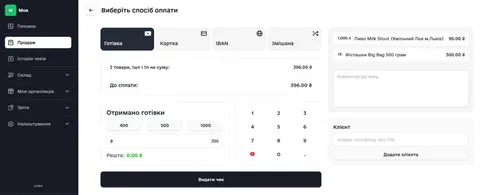
POSBox — AI POS system for retail and warehouse
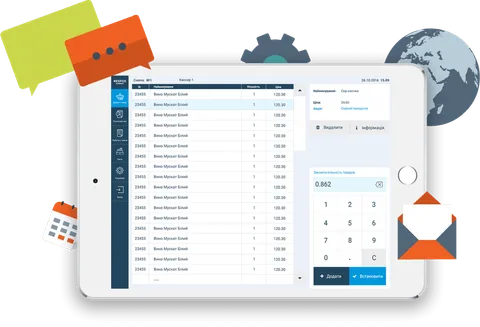
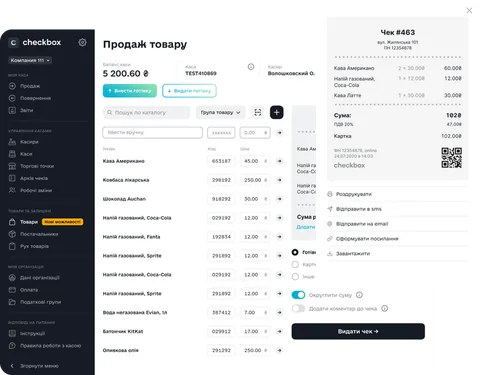
POSBox is an intuitive AI POS system by Checkbox for retail automation, inventory management and running small and medium businesses. It runs on a POS terminal, tablet or computer and integrates with a fiscal PRRO.
Who it fits
- neighbourhood shops and mini-markets;
- coffee shops, bakeries, food service;
- wholesale and warehouse companies;
- owners who want online sales analytics.
Key features
- 📱 Point of sale (touch terminal or tablet)
- 📦 Inventory and real-time stock levels
- 🤖 AI-powered sales analytics
- 📊 Online reports and analytics
- 💳 Multiple payment methods
- ☁️ Cloud data synchronization
- 🖨 Integration with fiscal registers and receipt printers
POSBox and PRRO
POSBox combines inventory and fiscalisation: it is compatible with the equipment we set up in Lviv — Wintec terminals, REGO receipt printers, SuperLead scanners. Manage stock and receipts in one system. Fiscalisation runs through Checkbox; the step-by-step PRRO registration guide is here.
Setup in Lviv
At FD POS & IT we install and configure POSBox turnkey: product catalogue migration, checkout and PRRO connection, staff training.
📝 Estimate a kit · ✉️ Contact us
More about the product — posbox.ai
FAQ
How much does POSBox cost?
Three plans: Start — ₴348/month, available only to Checkbox customers (i.e. businesses already paying for Checkbox PRRO); Business — ₴549/month, Pro — ₴849/month. Extra sales point — +₴519/month, extra register — +₴249/month, e-commerce module — ₴699/month. Prices as of October 2026, see posbox.ai/prices. POSBox runs on top of Checkbox: fiscalisation goes through Checkbox PRRO, so if you don't have it yet, register the PRRO first (₴348/month per register, Checkbox pricing). One store total: ₴348 (PRRO) + ₴348 (POSBox Start) = ₴696/month.
Do I need a cash register for POSBox?
No. POSBox is a software PRRO: fiscalisation happens inside the app, so no separate cash register is required. You need a tablet or POS terminal and a receipt printer.
What hardware does POSBox run on?
An Android tablet, a POS terminal, or a browser on a computer. Among receipt printers we set up REGO (58 and 80 mm), among scanners — SuperLead.
How is the PRRO registered for POSBox?
Registration goes through Checkbox and requires a qualified e-signature of the sole proprietor or director. We register the PRRO and connect POSBox — in Lviv or remotely. The step-by-step guide: PRRO registration in Lviv.
Can products be migrated from another system?
Yes, the catalogue can be imported from Excel or from your previous POS — this is part of the setup.
💬 Comments 0
Loading…